
Virtual Trivia Schedule
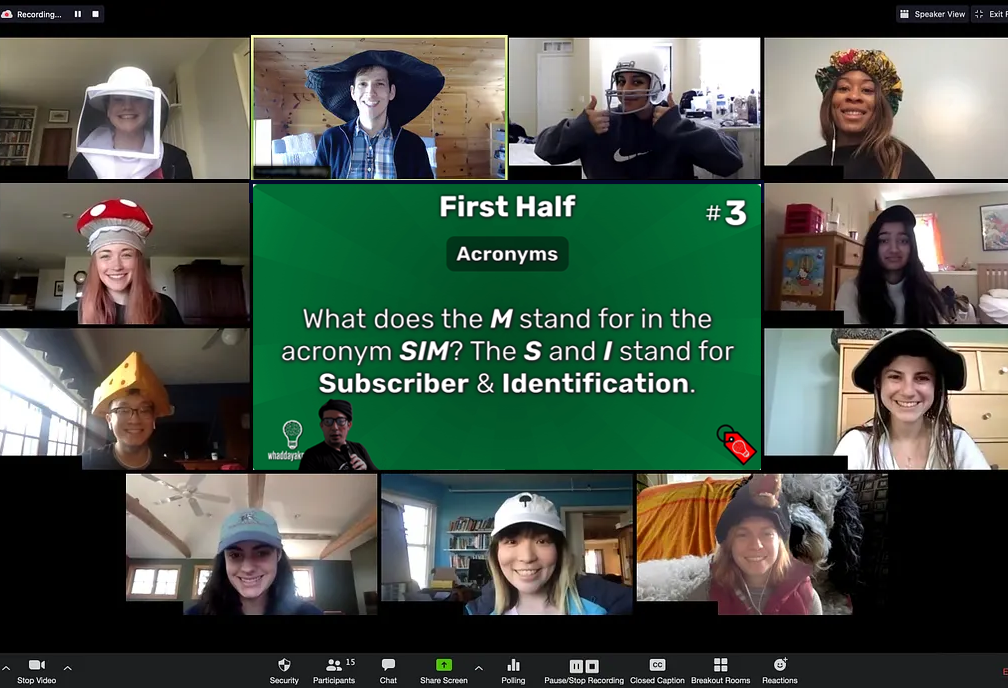
Games stream LIVE every Tuesday and Thursday at 7:00 p.m. CDT. We run 8-10 games a month, meaning that comes out to about $2/game! And with teams of up to 8 people, this price can go even lower!
Please note that virtual games are general knowledge trivia.

Joining Virtual Trivia
Once you’ve signed up, you can join games on our virtual trivia site using the same email address you used to register.
You may have up to 7 other people join you by entering the same team name on the virtual answer sheet.
If you can’t play on any given night, no worries! Members of any of your registered teams can still play that night by entering your team name.
FAQs & Managing Your Subscription
Memberships can be canceled or renewed at any time from your account page. You can play games until the end of your billing period once canceled.
Having any issues? Check out the FAQs below or contact us here for assistance!
How can I play?
Simply join us via the “Sign Up” link on the front page, and then register at freepubtrivia.com/login (New Account). Your username will be your chat handle. You can then create a team, a team password, and add team members by email address.
Is there a limit to the number of team members who can be added?
Add as many team members as you like, but only EIGHT can access a game at once. There is also an eight person limit per team for a given game. Keep your general/rotating group as large as you want. If every person who enjoys playing pitches in, it’ll be super cheap for everyone!
Do all team members need to create an account on the website to play?
No! The team creator (e.g., yourself) is the only one who needs to fully register on the website. Other members do NOT need to register to play. They can access the game by:
- Clicking “Join Game” at freebartrivia.com, and
- Entering their email address (that was registered on the roster by the creator), team name, and game code.
Game links and codes will be available 30 minutes prior to the start of the game.
Can a player whose email is not added to a team roster join the game?
If a player enters an email that was not added by the creator, they will need the team password as well to join the team for the game.
We typically just have a team member share their screen with us. Is that alright, or does everyone need to log into the stream to play?
By all means, continue that practice if it’s best for you! You are on the honor system with keeping EIGHT OR FEWER PLAYERS for a given game, and we trust you won’t ruin the integrity of the game, yourself, or the experience for other teams.
The step of joining the game only applies to players who want to access the stream/answer sheet on each of their devices.
What should I do if I have trouble logging into a game, and am unsure of what is wrong?
Any player having issues joining a game can post in the open chat at the bottom left corner of the screen. This chat will appear once an attempt to join is made. Each user can communicate with us (and they’ll be randomly assigned a handle).
On a related note: Once logged in, if you do not see the Whaddayaknow? Chatroom in the bottom left corner, click Leave Game and rejoin. It should be appear for you without losing any progress. You can also email dan@freepubtrivia.com at any time if you run into other issues!
I sometimes play with different groups. Can I create multiple teams under my account?
You can create up to three different teams with a registered account (e.g., three team names from which you can choose to play with for each game).
Can I also be a member of other teams (created by other users)?
Yes, you can be a member of other teams (as a non creator).
Are there prizes for the winning teams? When is the subscriber Whaddayadough credited?
Of course! The top ten teams are credited with WhaddayaDOUGH after every game! Whaddayadough is redeemable at our online store (freepubtrivia.com/store) which is full of AWESOME products (with more to come)! Your team also receives an automatic 50 in Whaddayadough credit every month just for being a member! Accumulate as much Whaddayadough as you can, and cash it in for some great prizes!
What internet browser is recommended for the virtual games?
Google Chrome is preferred, as Safari users or those on Firefox mobile may experience issues. Internet Explorer is not recommended.
Are you still running themed trivia virtually?
Tuesday and Thursday virtual games are general knowledge trivia. You can find our live themed trivia games here.